Log borings in the field, online or off
BoreDM Field runs in the browser on any phone, tablet, or laptop, no install and no IT ticket required. Entries sync automatically when the crew reconnects, so field data reaches the report without a manual transfer step.
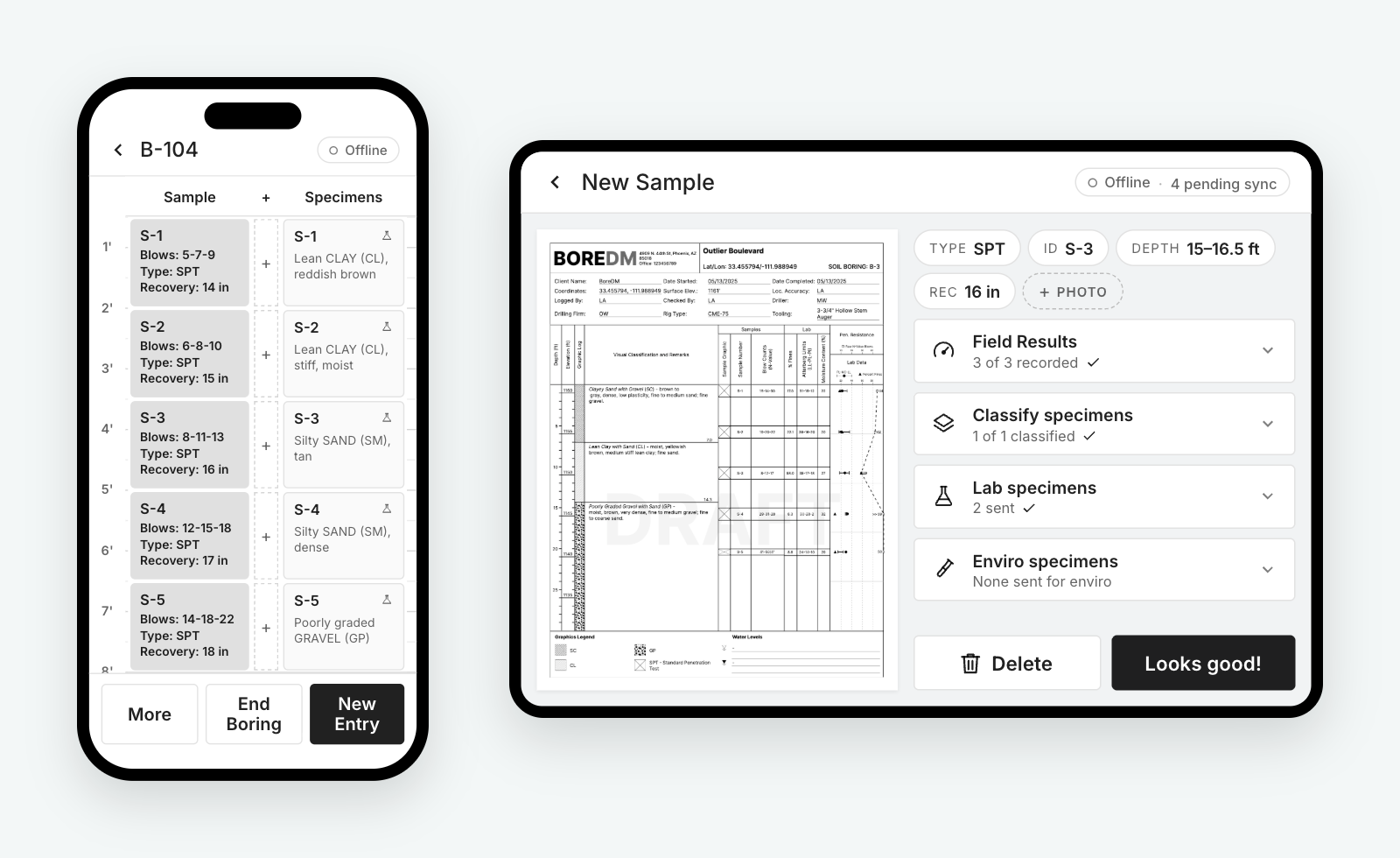
Works on every device your crew already has
BoreDM Field runs in the browser. There's no app to install, no IT ticket, and no managed updates to push. Open it on any phone or tablet, rugged or not, and it works. To keep it on the home screen like a native app, add it from Safari on iOS or Chrome on Android.
- No install, no IT: Works anywhere a modern browser does.
- Always up to date: Every device gets the latest version automatically.
- Any hardware: Rugged tablets, phones, and laptops all run the same app.
Field to report, no re-entry
Crews log on paper at the rig, then someone retypes everything back at the office. That second pass costs hours per project and introduces transcription errors into data that ends up in a stamped report.
Sites without signal make it worse. Tools that require a connection push crews back to paper, which means the second entry pass never goes away.
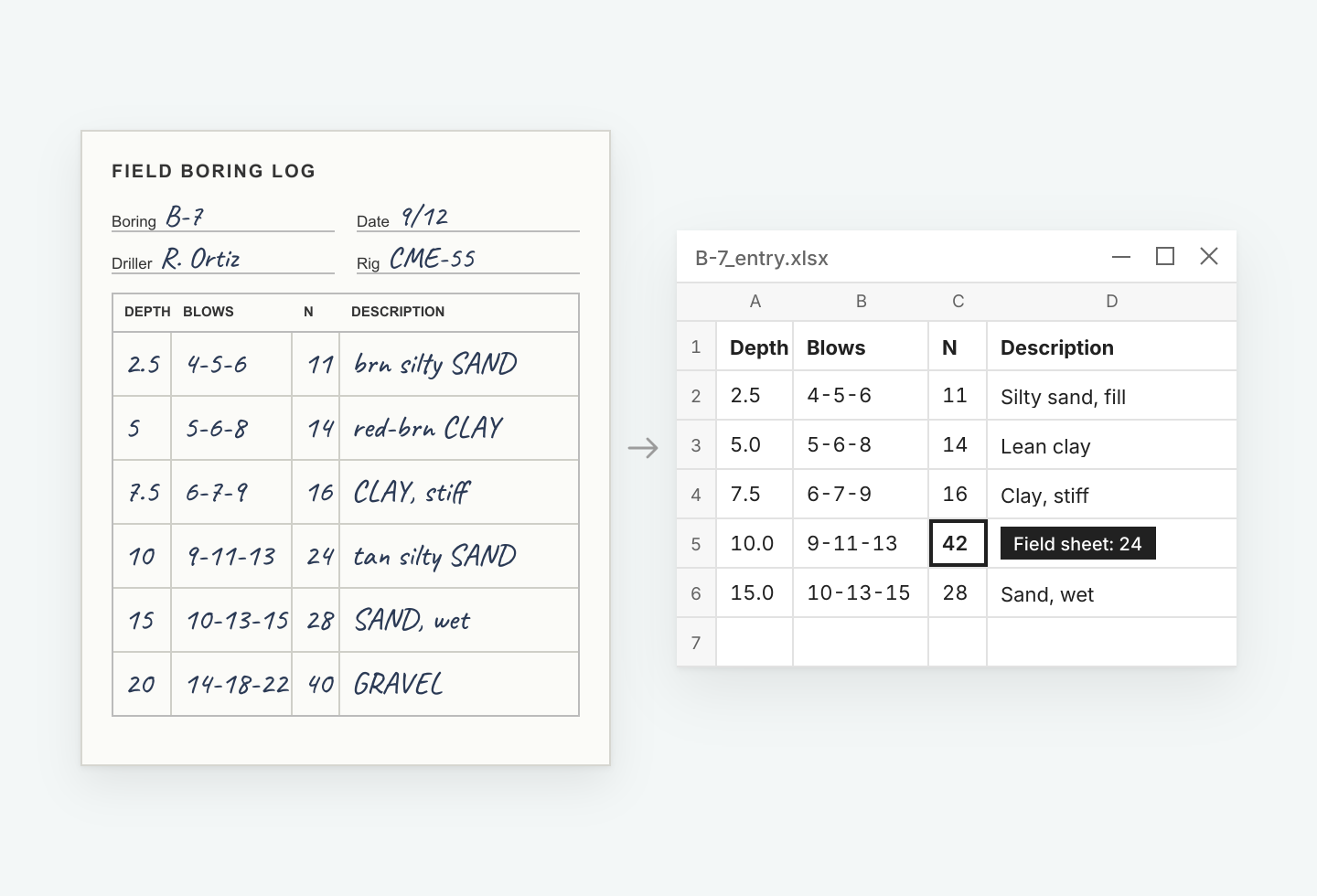
From rig to report
-
Log at the rig
Soil and rock samples, monitoring wells, test pits, and DCPs, entered on a phone or tablet as work happens.
-
Work without signal
Full functionality offline. No connection required to log a boring.
-
Sync automatically
Entries move into the project database when the device reconnects. No export, no email, no re-entry.
-
Straight into the report
Field entries populate logs and cross sections immediately. The engineer of record sees data the same day.
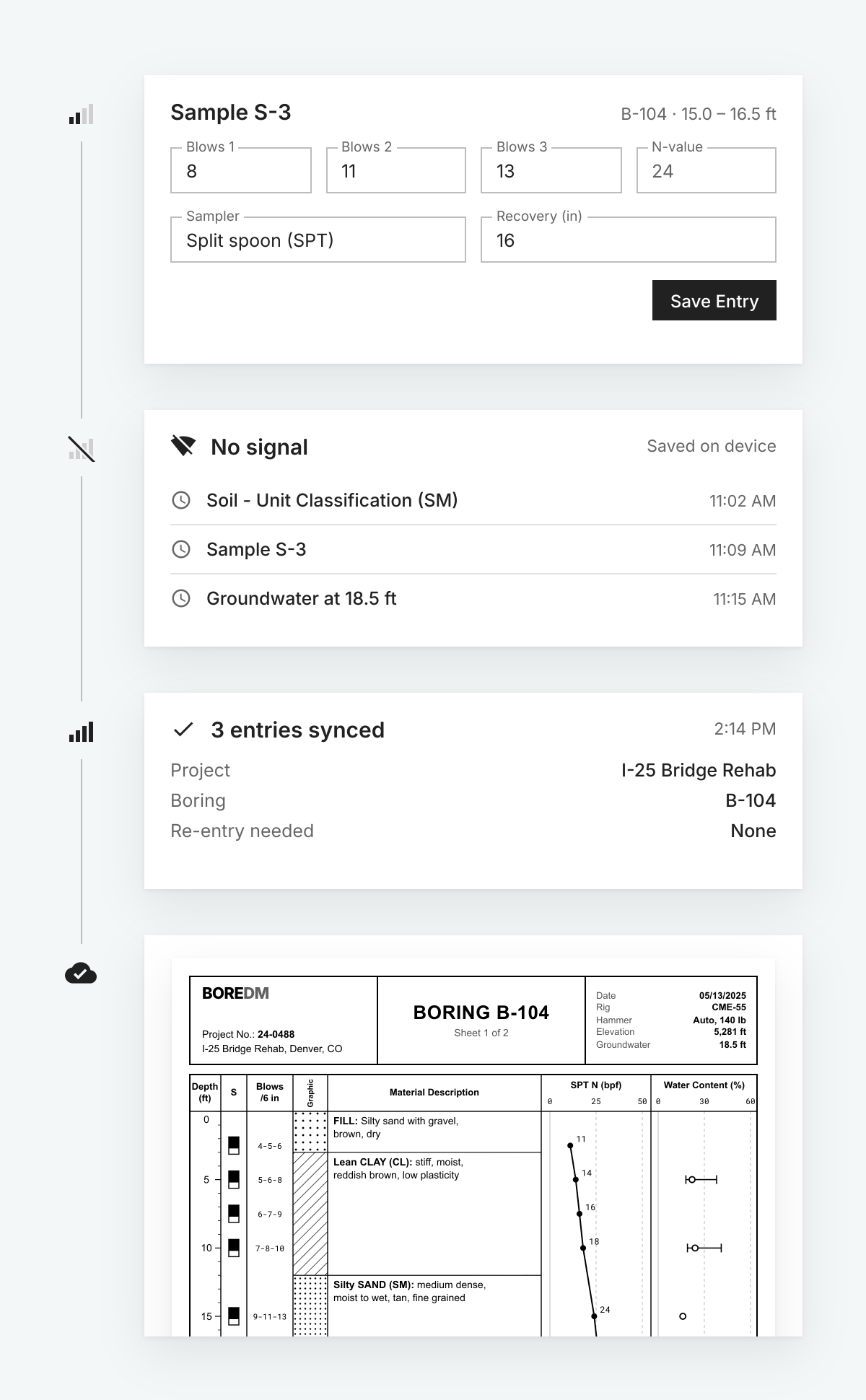
Log all day, no signal required
Capture borings, intervals, and photos fully offline. BoreDM syncs automatically when you reconnect.
- Offline photos: Photos are compressed automatically to save device storage.
- No silent overwrites: If two people edit the same record, BoreDM flags the conflict for review.
Bring your drillers in
Give subcontracted drillers access to the projects they're working on, two ways.
- Guest access: Add drillers as temporary guest users on your account.
- Company sharing: Share a project directly with the driller's own BoreDM account.
Capture it all in BoreDM
Photos
Capture sample photos, site photos, and log photos. Log photos span a depth interval, ideal for test pits, and print on the log at the right depth. Sample photos print in an automatically generated log appendix.
Everything you log in the field
Detailed soil and rock classifications, core data, and geotechnical and environmental samples.
Your workflow, your way
Customize every step of the logging workflow, including classification order.
Voice-based logging
Coming late 2026.
Standardized descriptions, every crew, every office
Field templates are controlled centrally, and editing permissions determine who can change them.
A log entered by a new field tech follows the same description standards as one entered by a senior engineer. That consistency is what makes the resulting database usable years later.
Suggested for you
See BoreDM Field with your crew
Book a walkthrough with our team. After the demo we will set up a trial environment loaded with your project data.